Phase 1: Download
Follow these steps to request a copy of your chat history. It takes about five minutes. We recommend using a computer. Choose your platform:
In the window that opens, choose “Save as PDF” as the destination. Only the platform you have selected is saved.
-
Log in to ChatGPT
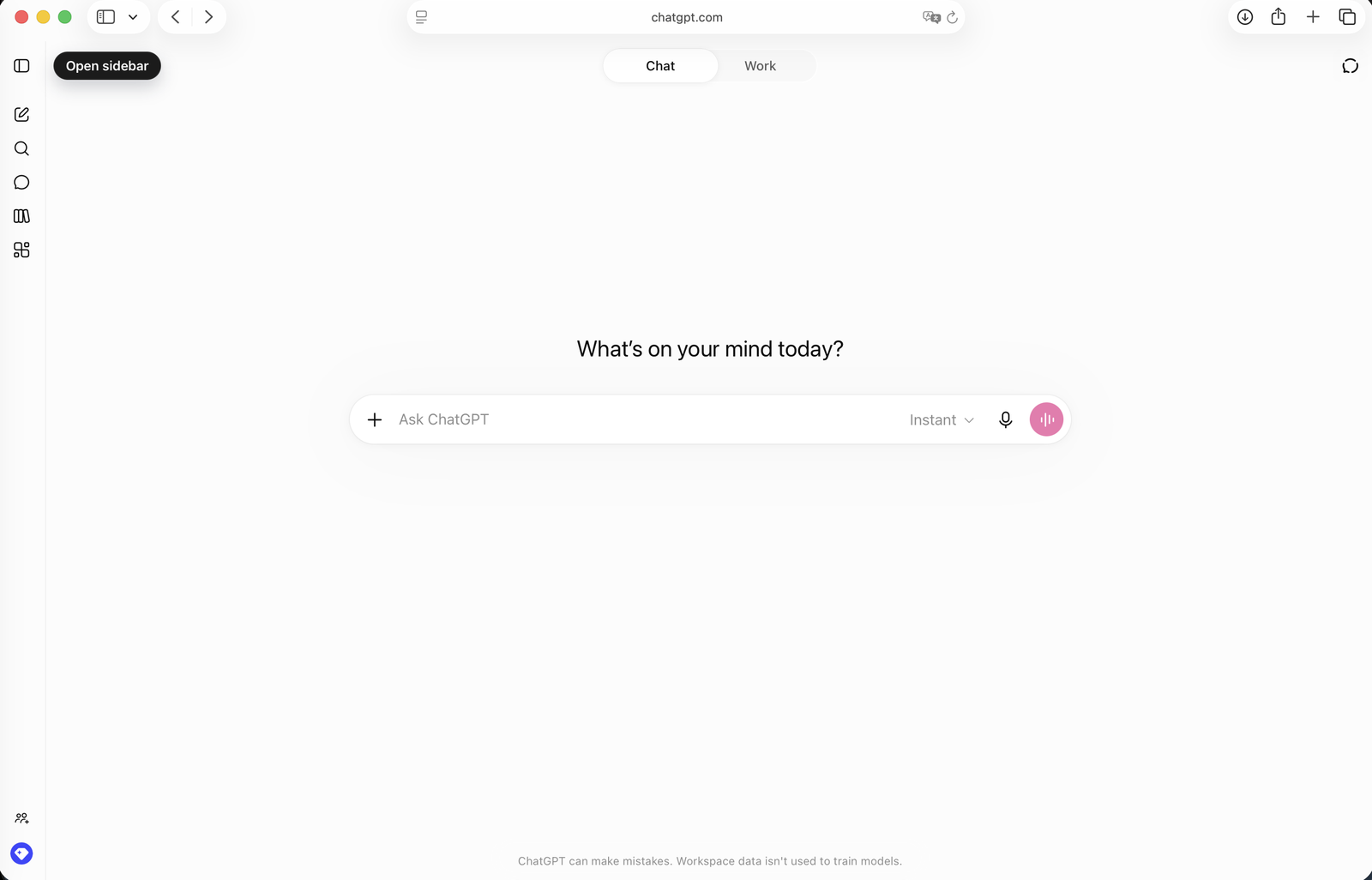
Go to chatgpt.com and log in to the account you want to donate from. Then click your profile icon in the lower left corner.
-
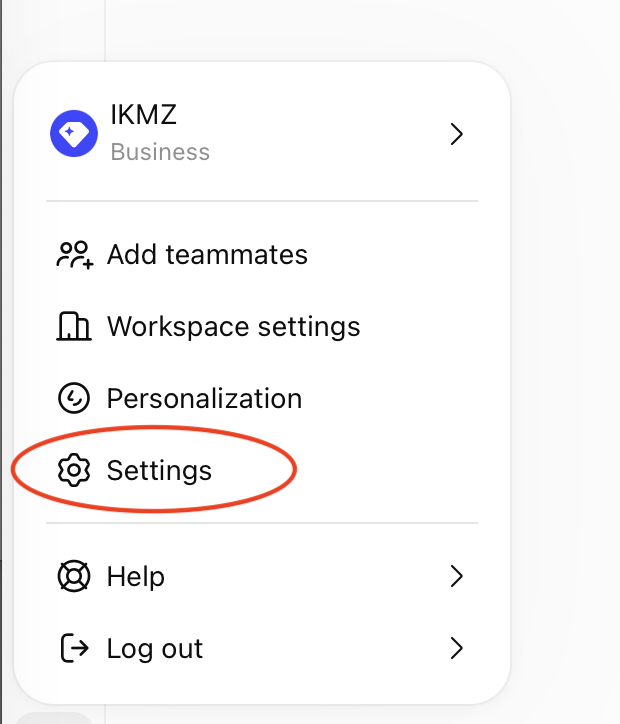
Open the settings
In the menu, click Settings.
-
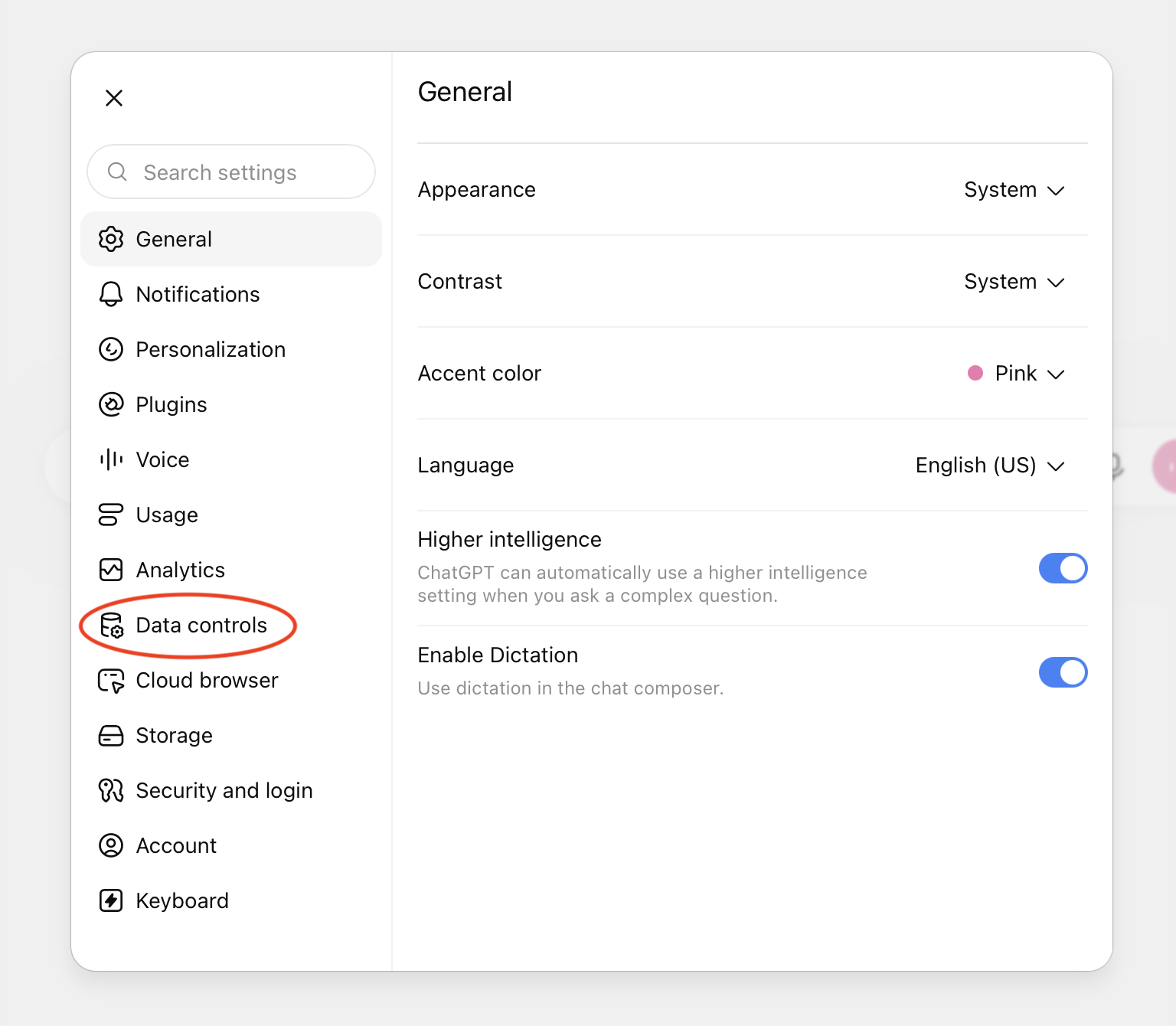
Go to “Data controls”
In the list on the left, click Data controls.
-
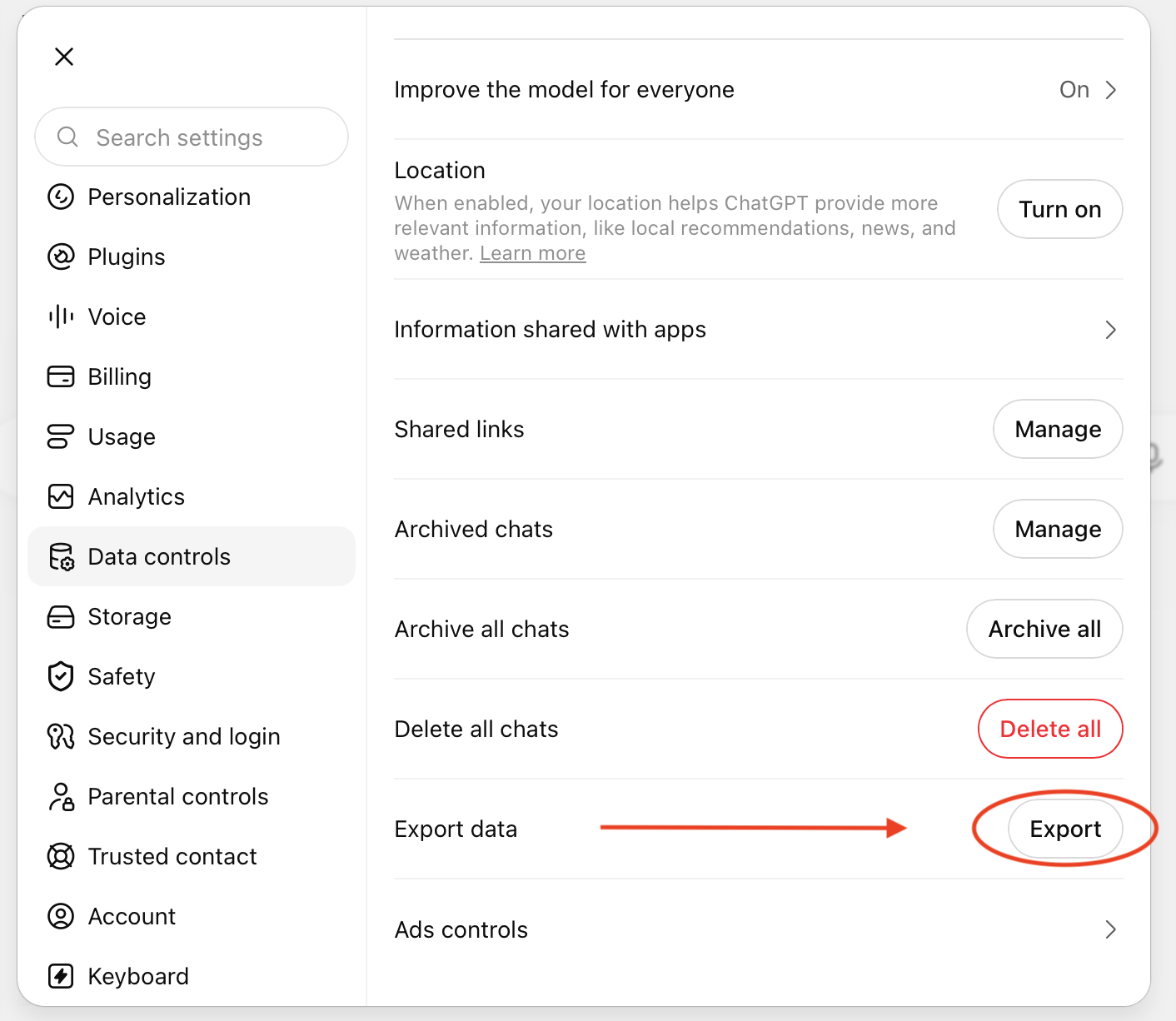
Export your data
Next to Export data, click Export.
-
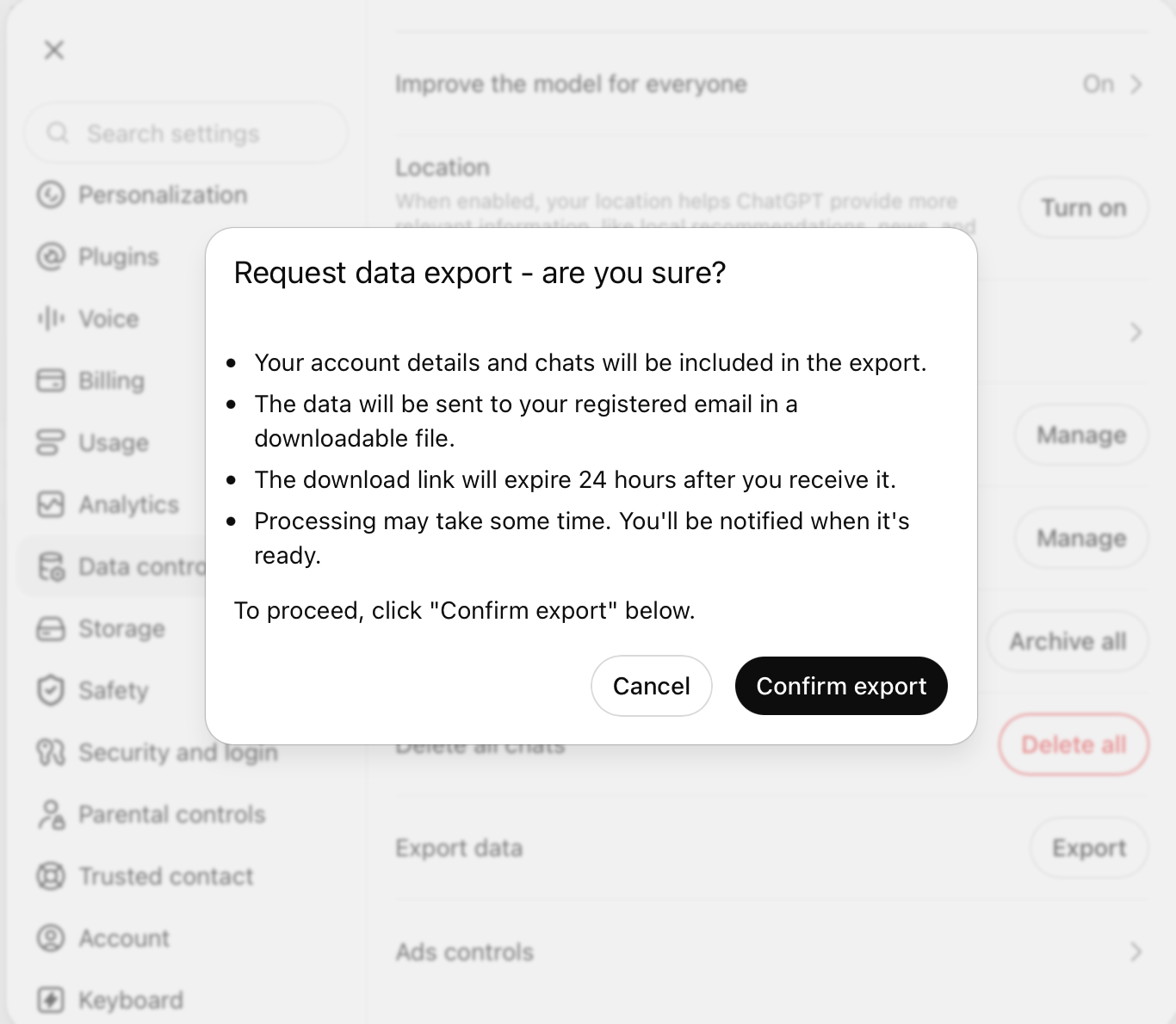
Confirm the export
Click Confirm export.
-
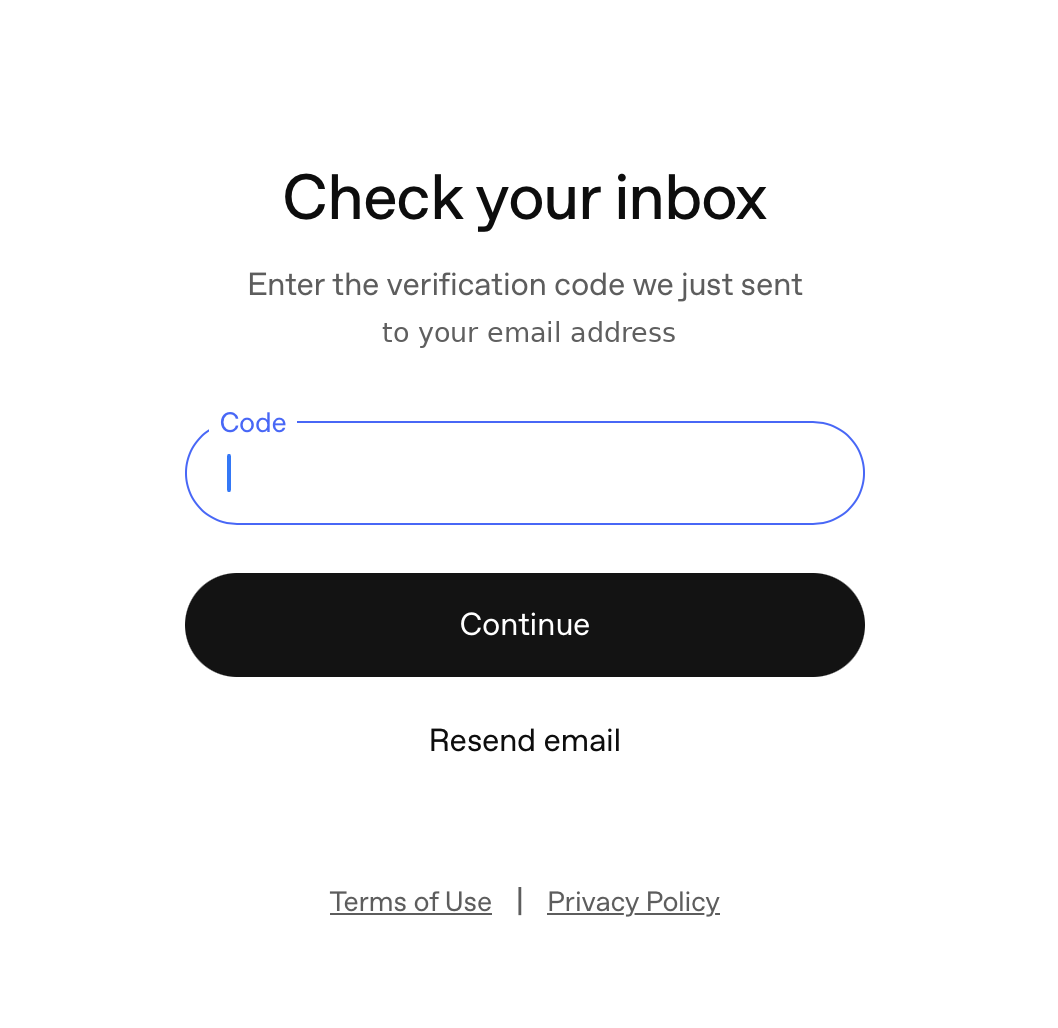
Enter the verification code
If ChatGPT asks you to verify your identity, check your email inbox for a code. Enter the code and click Continue.
-
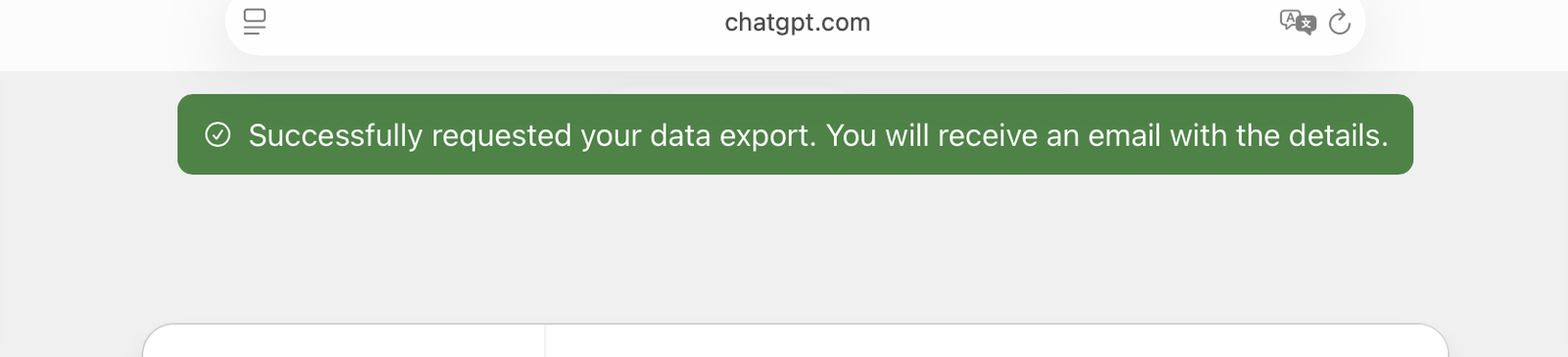
Done
A green message confirms that you requested your data export.
What happens next
OpenAI sends you an email with a download link. This can take a few minutes to several days. Check your spam folder if nothing arrives.
The download link expires 24 hours after you receive it. Download the file as soon as the email arrives.
- Save the downloaded ZIP file on your computer. Do not unzip, rename, or edit it.
- Keep the file until you have taken part in Phase 2.
-
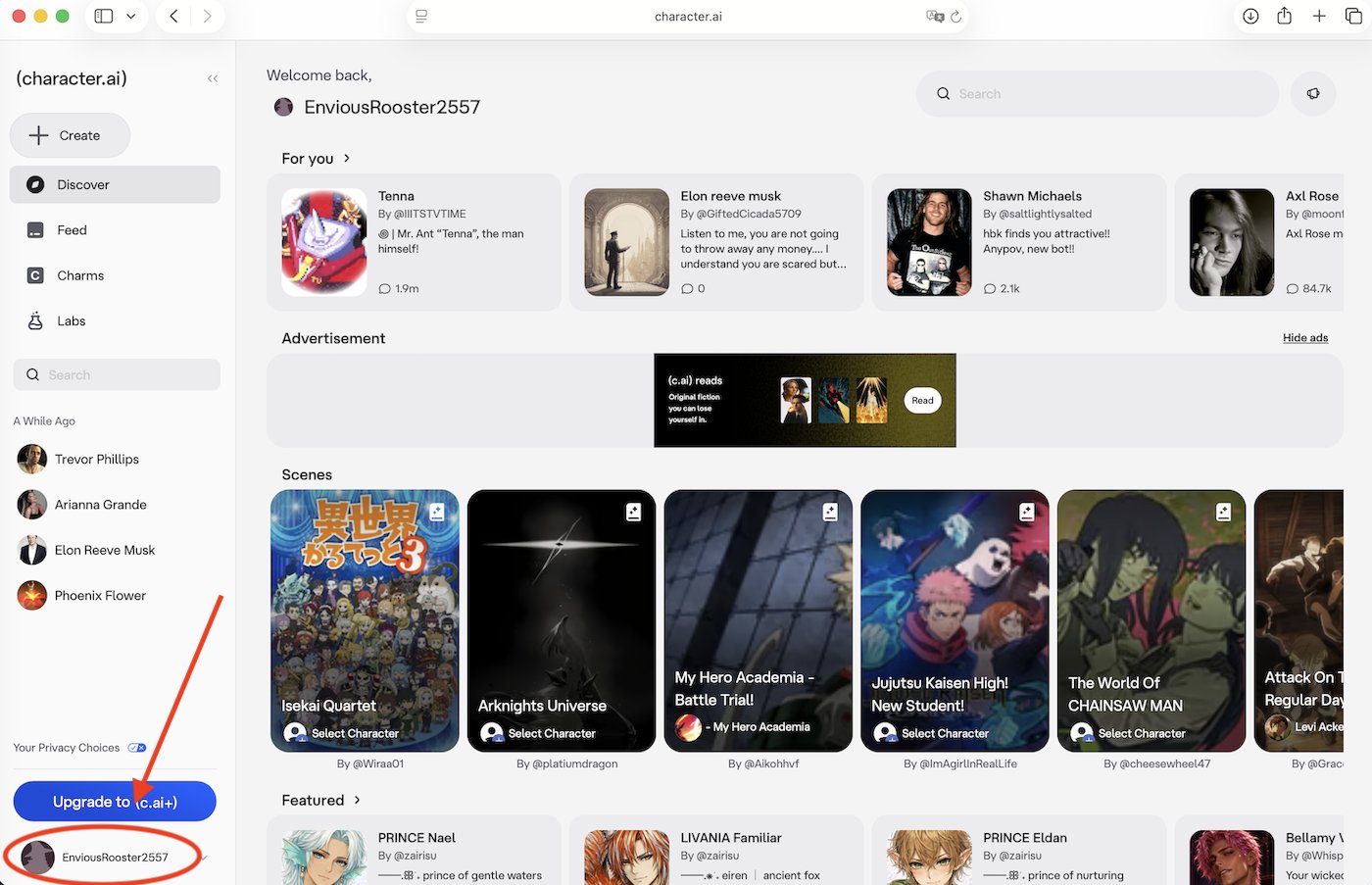
Log in to Character.AI
Go to character.ai and log in to the account you want to donate from. Then click your username in the lower left corner.
-
Open the settings
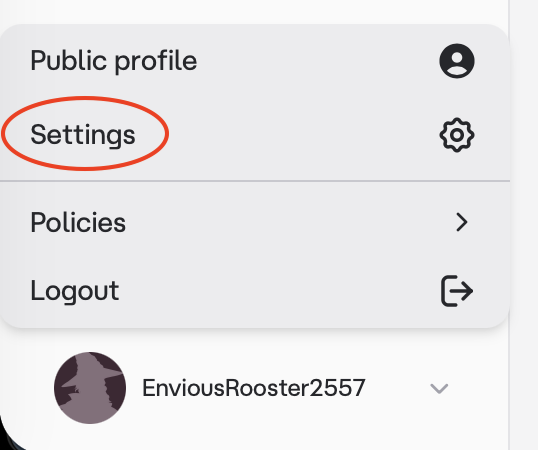
In the menu, click Settings.
-
Go to “Manage Account & Data”
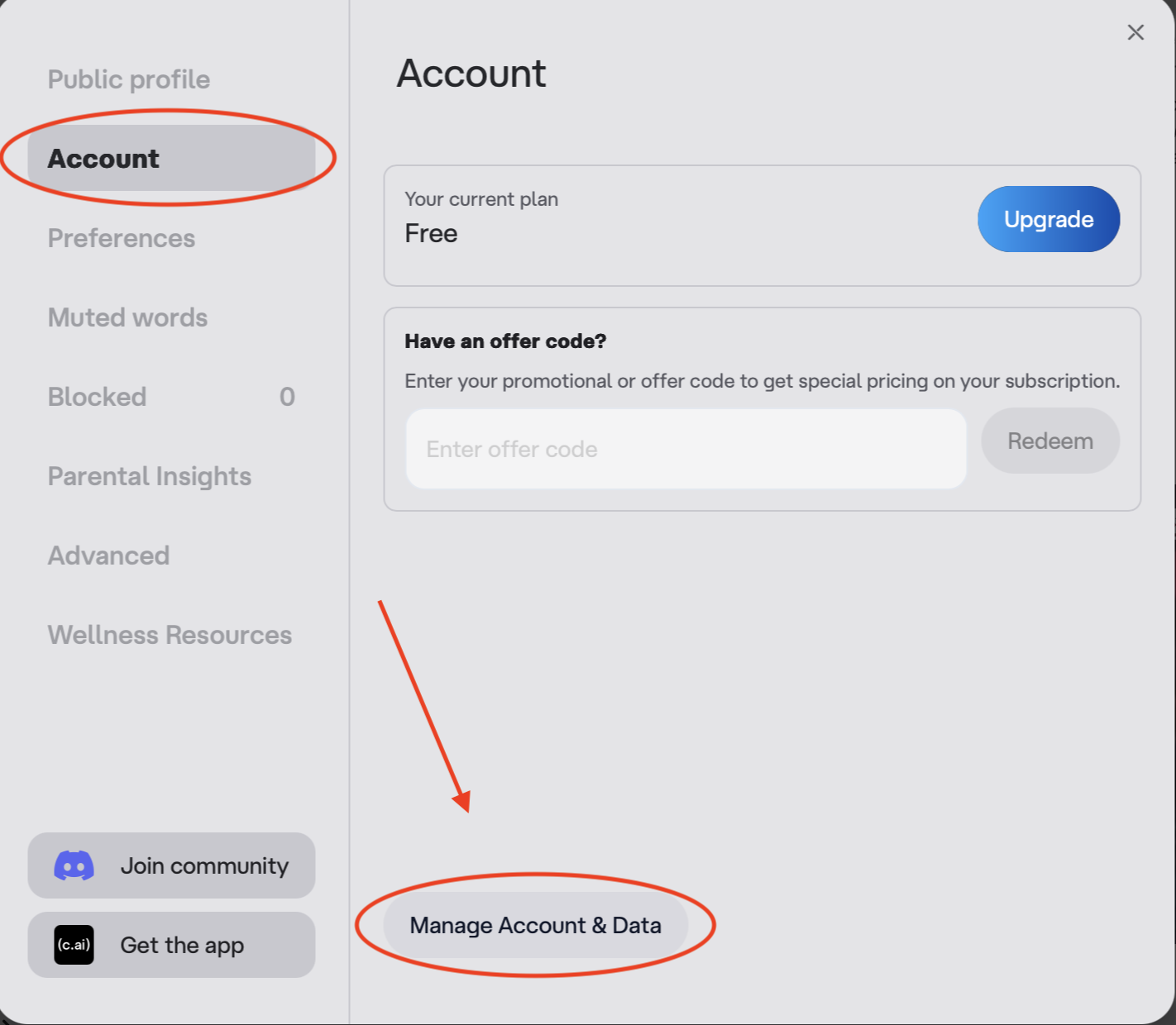
The settings open on the Account page. At the bottom, click Manage Account & Data.
-
Export your data
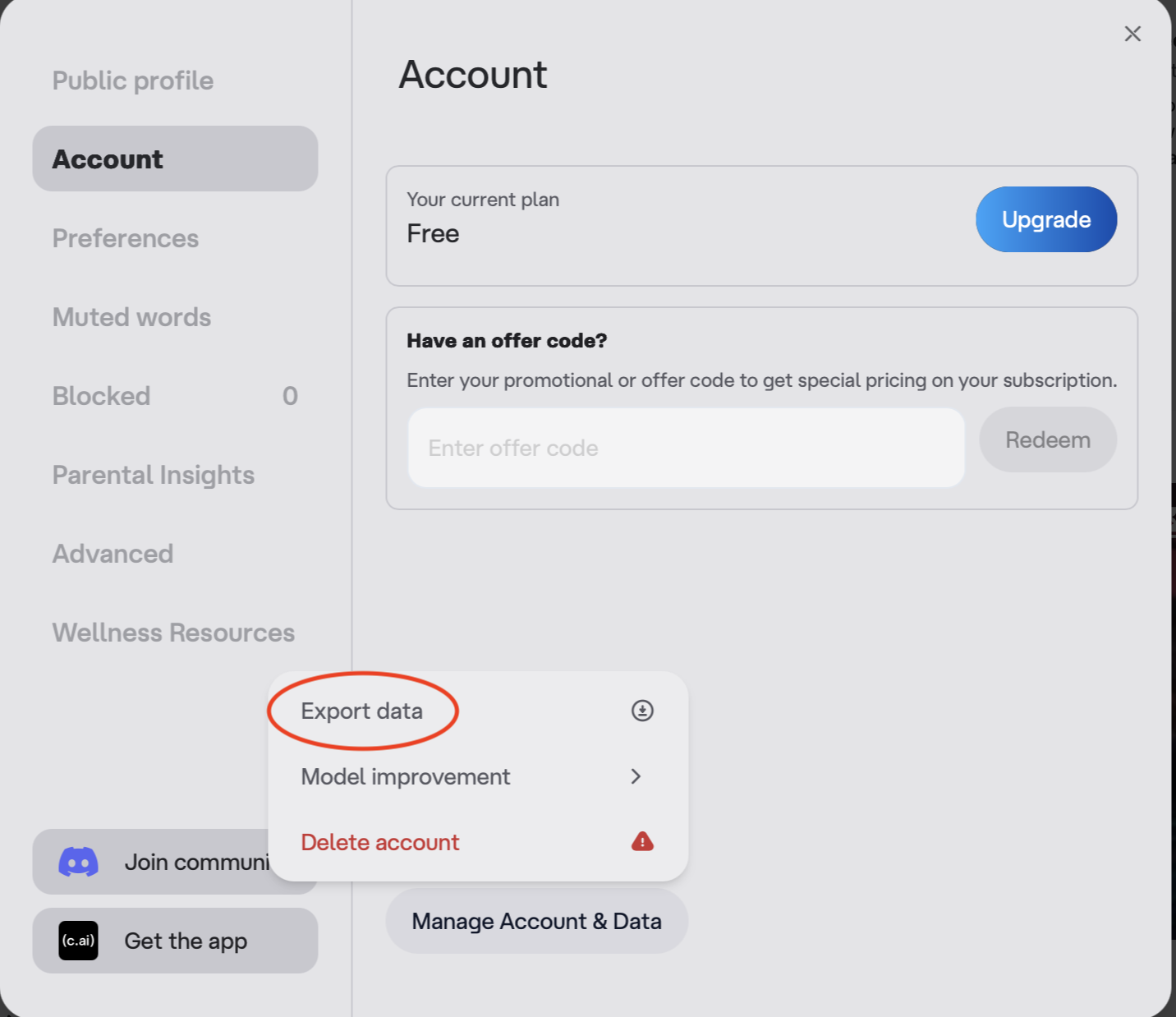
In the small menu that opens, click Export data. Do not click “Delete account.”
-
Done
A message confirms that you will receive an email with a link to download your data.

What happens next
Character.AI sends you an email with a download link. This can take a few minutes to several days. Check your spam folder if nothing arrives.
Download the file as soon as the email arrives. The link expires after 7 days.
- Save the downloaded file on your computer. Do not unzip, rename, or edit it.
- Keep the file until you have taken part in Phase 2.
Once you have your file
We invite you to Phase 2 on Prolific. You receive an email from Prolific as soon as the study opens, and we also send you a reminder via Prolific messages.
If you have questions, message us on Prolific or email nadja.rupprechter@uzh.ch.