Phase 2: Donation
In Phase 2, you review your chat history and decide what to donate. It takes about 15 minutes, and you receive $3.75 via Prolific, whatever you decide to donate.
Before you start
Have your downloaded file ready, unchanged: do not unzip, rename, or edit it. You will select it in the UZH Data Donation Module.
Your file stays on your computer. It is processed in your own browser, and the file itself is never sent to us. We only receive the chats you agree to donate, and nothing is sent before you consent.
What happens in Phase 2
- You read the Phase 2 information and decide whether to take part.
- You select your file. The module extracts only chat titles, messages, and timestamps.
- You review your chats and decide what to donate.
- You answer a short survey and receive the debriefing.
Reviewing your chats
The review screen looks slightly different for each platform. Choose yours:
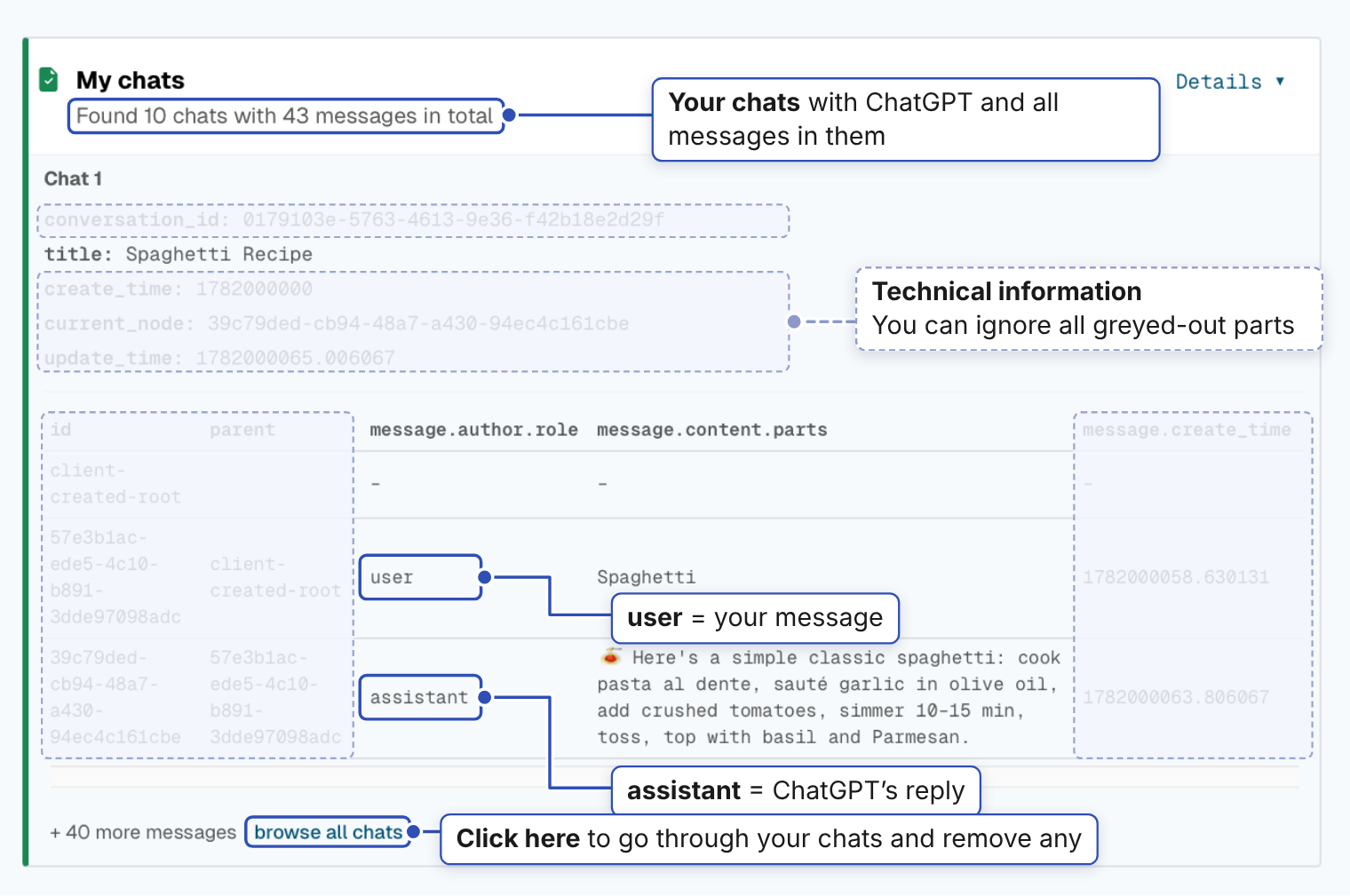
Removing chats
- Click “browse all chats” to go through your chats one by one.
- For any chat you do not want to share, click “Remove this chat from my donation”. You can undo this with “Keep this chat in my donation”.
- Back on the overview, answer “Donate the selected chats?”.
Good to know: The number of chats shown at the top does not change when you remove chats. Removed chats are marked “This chat will not be included in your donation” and are not sent to us.
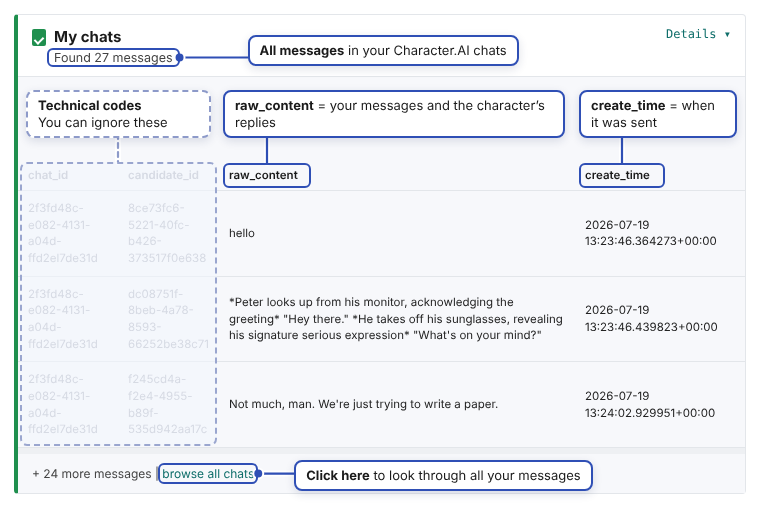
Click “browse all chats” to look through all your messages. For Character.AI, you can review your chats, but you can only donate all of them or none.
Chats that mention other people
Whether you keep these chats is up to you. Only our research team at the University of Zurich reads the chats. We remove names, locations, and sensitive information about other people before analysis, and we never publish raw chat logs. Consider removing a chat if it contains something you would not want a researcher to read.